
Integration
Property Finder, Bayut and Dubizzle WhatsApp integration for agencies
Portal enquiries become contacts and pipeline leads the moment they reach WhatsGrow, assigned to the right agent and matched to the listing. In the other direction, WhatsGrow publishes XML listing feeds that the portals can pull, with permit numbers checked first.
No card · cancel anytime
- Leads in
- A private webhook URL per portal source, set up with our team
- Listings out
- XML feeds for Property Finder, Bayut, Dubizzle, plus a unified feed
- Where in the app
- Real Estate > Settings for feeds; lead sources are set up by our team
- Needs
- Real Estate pack; the portal must be set up to send or fetch
What does the property portal integration do?
It gives each portal its own private webhook URL. When a portal enquiry is posted there, WhatsGrow normalises the phone number, creates or updates the contact, matches the listing by reference, opens a lead in your first pipeline stage, assigns an agent and starts the conversation. Separately, it serves XML feeds your portals can fetch.
Inbound webhook per source. Each source has an unguessable URL, an optional shared secret, and rate limiting. Property Finder, Bayut, Dubizzle and generic website-form payloads each have their own normaliser.
No duplicates. A replayed webhook is dropped by its event ID, and an existing contact is matched on phone number instead of being created twice, keeping its name and assigned agent.
Listing match. The listing reference in the enquiry is matched against the reference on your properties, so the lead knows which listing it came from.
Routing. Rules by source, city, area, project, language, purpose or budget assign a fixed agent, round robin or least loaded. A fallback ensures a lead is never left unassigned.
Outbound XML feeds. Property Finder (PF XML), Bayut, Dubizzle and a unified feed. The four URLs share one private token, and Regenerate Token changes all of them. See the permit rule under limits.
How do I connect Property Finder, Bayut or Dubizzle to WhatsGrow?
Portal lead sources are created by our team for now, not in the dashboard. Switch on the Real Estate pack, message us with the portals you use, and we create a source for each and send its Inbound Webhook URL. Paste that URL where the portal or your provider accepts a lead webhook, then send a test enquiry.
- In Settings > Industry Pack choose Real Estate and connect a WhatsApp Business number.
- Ask us on WhatsApp to add a lead source for each portal: Property Finder, Bayut, Dubizzle or a website form. Give each a label (for example "Dubai Marina Bayut Inquiries"), and say if you want a shared secret on it.
- We send you each source's Inbound Webhook URL. Paste it into your portal's lead webhook setting. If the URL ever leaks, ask us to rotate the token; the old URL stops working immediately.
- We send a simulated enquiry through the same pipeline so you can check that it routes and appears in the inbox, then you ask the portal for a real test enquiry.
- Every event's payload is stored, so we can show you what a portal sent and whether it was Processed, Received or an Error.
- For listings out, open Real Estate > Settings, find Portal Listing Feeds (Outbound XML), and use Copy XML URL for the portal you want. Regenerate Token replaces the URL.
Who sends the lead is the part WhatsGrow cannot control. Whether a portal posts to a webhook, or needs your account manager or a middleware tool to do it, depends on your contract with that portal. If yours cannot post to a URL, put Zapier or n8n in the middle and have it call the same URL.
Ready to try it on your own chats?
No card · cancel anytime
What can I automate with portal leads and WhatsApp?
Portal leads decay fast, so the useful automations are about speed and routing: reach the buyer on WhatsApp quickly, send the right agent the right enquiry, and keep your listings accurate across portals. Each workflow below uses features that exist in the Real Estate pack today.
Enquiry to assigned agent in one step
TriggerA buyer enquires about listing reference MR-2041 on Bayut.
- The portal posts the enquiry to your source URL.
- WhatsGrow normalises the phone, matches MR-2041 to your property, creates the lead with an SLA due time, and assigns the agent your rules pick.
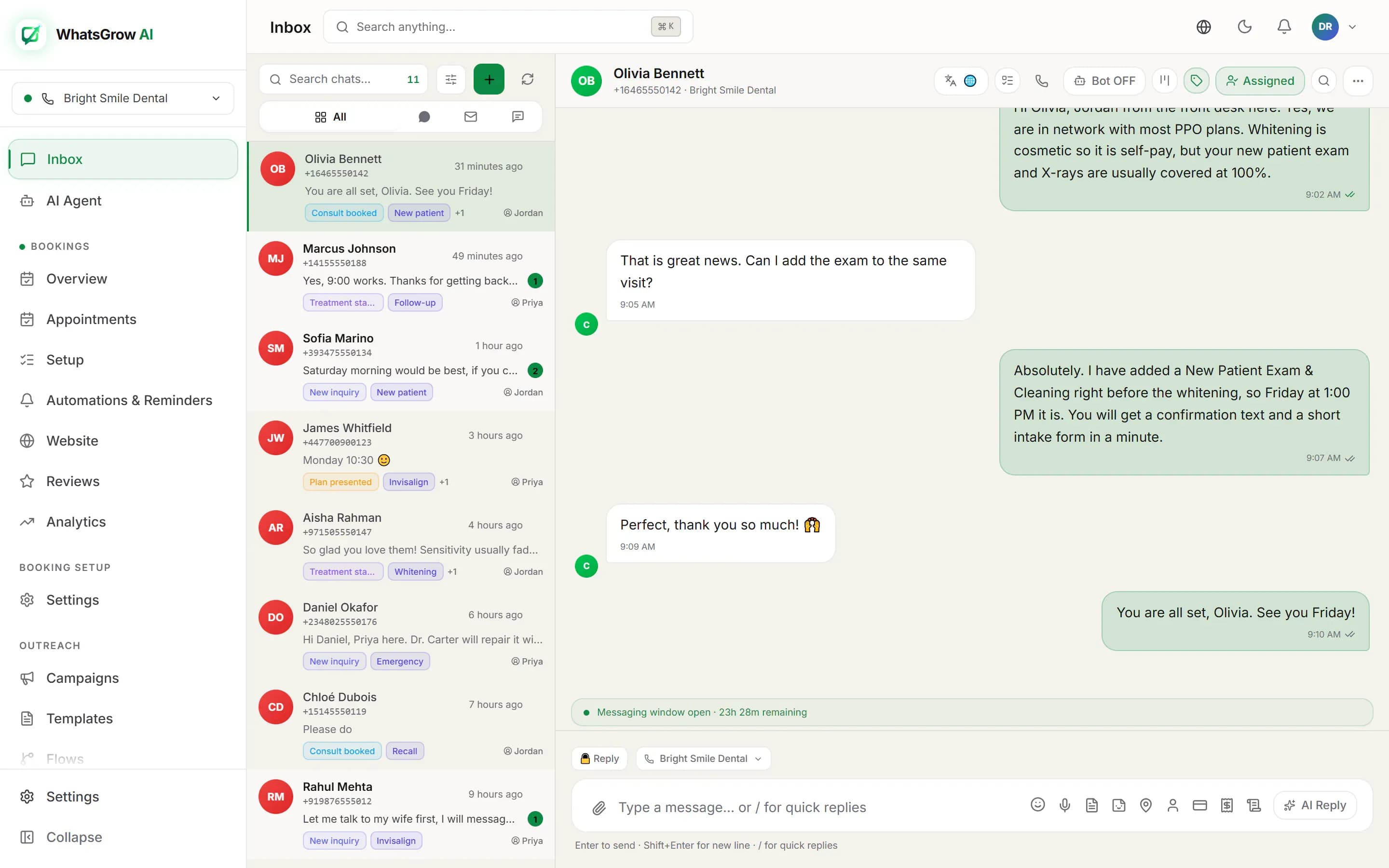
- The enquiry becomes the opening message in the contact's thread, shown as the newest unread message, so the agent sees it the moment they open the inbox.
ResultThe agent starts from the buyer's actual question and the exact listing, not from an email forward.
Optional automatic first message
TriggerA portal lead arrives and you have turned on the first message under Real Estate > Automations > New and quiet leads.
- WhatsGrow checks that the lead has a phone, has not opted out and is not blocked, and that a WhatsApp number and an approved template are in place.
- It sends an approved welcome template that names the listing, or the area or city, once per lead.
- When the buyer replies, the AI agent or your agent continues the chat.
ResultIf any check fails, the lead gets a note saying first touch is pending and why, so nothing silently stalls.
Listings published once, pulled by every portal
TriggerYou publish or edit a property in WhatsGrow.
- The feed for each portal is generated from your properties with the portal's own XML structure.
- With permit enforcement on, listings with no permit number or an expired one are left out. Listings with no photo, price, mapped type, title, description or location are always left out.
- Each portal fetches its own URL on its schedule.
ResultOne source of truth for listings, and fewer rejected or non-compliant ads. See the real estate solution for the full workspace.
What are the limits of the portal integration?
It is a webhook receiver and a feed publisher, not a certified partner connector. It cannot log into a portal and pull leads, and the payload fields are mapped from common names, so confirm each portal with Simulate Lead and the payload inspector. The feature also lives only in the Real Estate pack.
Questions people ask
Does WhatsGrow have an official Property Finder, Bayut or Dubizzle partnership?
Not as a certified partner. The integration is a webhook receiver with portal-specific field mapping, plus XML feeds in the structures each portal uses. Check what your own portal account allows.
Can I forward portal lead emails instead?
The webhook is the supported route we describe here. If a portal only emails you, a mail-parsing step in Zapier or n8n can post the details to the source URL.
How do I test it without waiting for a real enquiry?
Ask us to send a simulated lead through the source. It runs through routing and into the inbox, and the stored event payload shows what was received.
Can I bring in Meta ad leads too?
Yes. Facebook and Instagram lead forms use the same lead pipeline. See Meta Lead Ads.
Stop copying portal enquiries by hand
Start the free trial, ask us to add your portal as a lead source, and send a test enquiry through your routing rules.
No card · cancel anytime