
Integration
WhatsApp payment links with Stripe and Razorpay
Paste your own Stripe or Razorpay keys into WhatsGrow, then send a payment link from any chat. When the gateway confirms payment, the link flips to paid, your team is notified, and the lead can move to a stage you choose.
No card · cancel anytime
- Connects with
- Your own Stripe or Razorpay keys (no platform account)
- Where in the app
- Settings > Payment Settings; inbox Request payment
- Also supported
- Tap, Moyasar, MyFatoorah, Cashfree, PayU, PhonePe, Safepay, PayFast, PayPro
- Plan
- Growth plan and above
What do Stripe and Razorpay payment links do in WhatsGrow?
They let an agent, a flow or the API create a payment request for a contact and send it in the chat as a WhatsApp message with the amount, a description, the pay link and an optional expiry. Money goes to your own gateway account, and WhatsGrow listens for the gateway's webhook to mark the link paid.
Stripe. Card payments through Stripe Checkout on your account. WhatsGrow reads the checkout.session.completed event.
Razorpay. Razorpay payment links created with your key ID and secret. WhatsGrow reads the payment_link.paid event.
Same engine for others. Tap, Moyasar and MyFatoorah for the Gulf, Cashfree, PayU and PhonePe for India, Safepay, PayFast and PayPro for Pakistan, plus an Offline / Manual option, share the same screen and flow.
After payment. The link is marked paid, a "Payment received" notification goes to your team, and the lead can move to a stage and a status (Won or Lost) that you set.
Your keys, not ours. The settings page says it plainly: paste your own keys, with no WhatsGrow verification step in between.
How do I set up Stripe or Razorpay payment links on WhatsApp?
Open Settings > Payment Settings, enable the gateway, paste its secret key, then copy the webhook URL shown into your Stripe or Razorpay dashboard and paste back the signing secret. Without that webhook, links can be sent but will not flip to paid on their own. Then use Request payment in any chat.
Stripe
- In Settings > Payment Settings, set a Default Currency, then under Stripe switch on Enable Stripe.
- Paste your secret key (
sk_live_...). The publishable key is optional. - In the Stripe Dashboard, add a webhook endpoint using the Webhook URL shown in WhatsGrow, subscribed to
checkout.session.completed. - Copy Stripe's signing secret (
whsec_...) back into WhatsGrow's webhook secret field and save. The status pills show which items are configured.
Razorpay
- Switch on Razorpay, then paste your key ID (
rzp_live_...) and key secret. - In the Razorpay dashboard, create a webhook for the URL shown in WhatsGrow with the
payment_link.paidevent, and paste its secret back into WhatsGrow.
Send a link
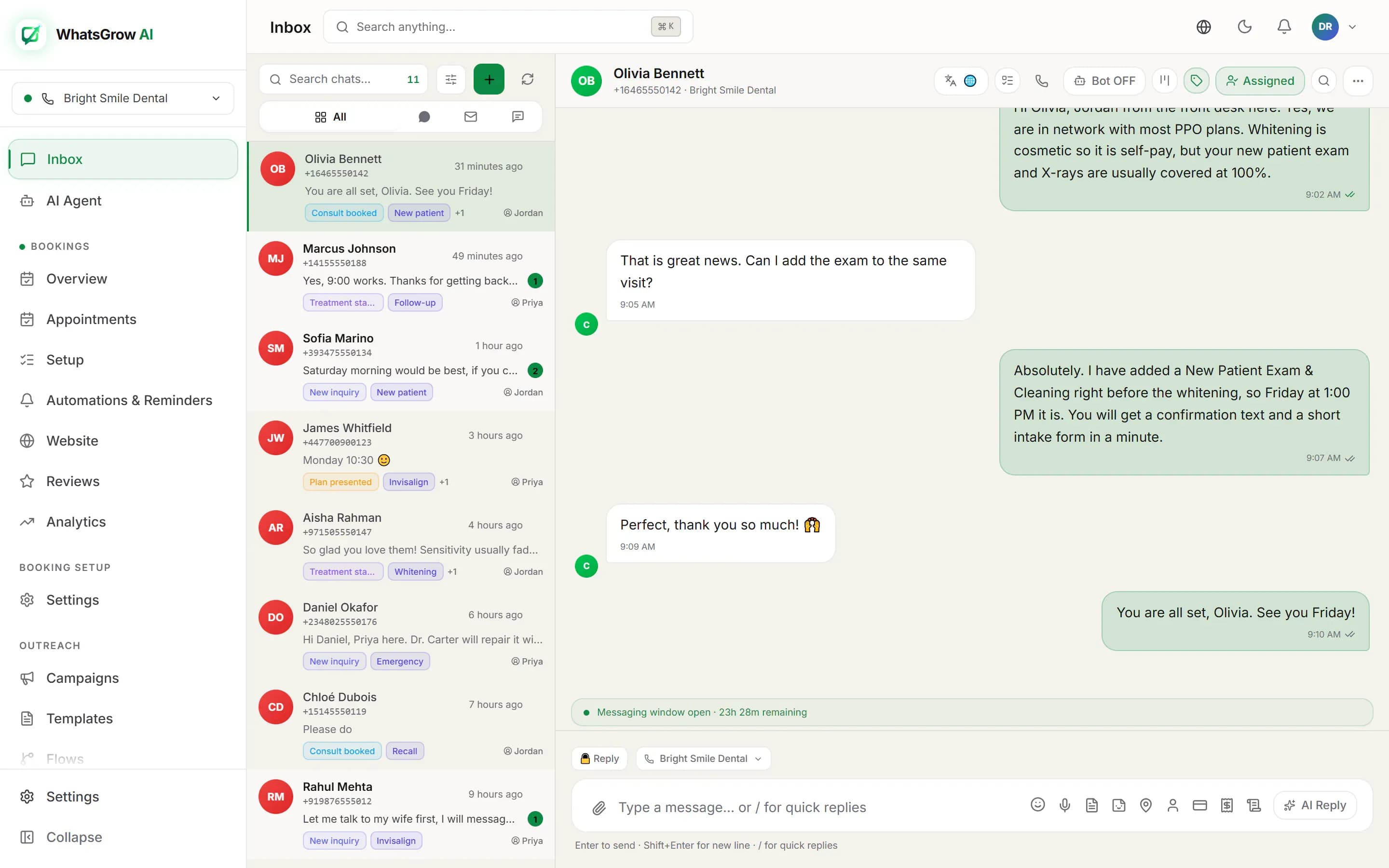
- Open a chat in the inbox and press Request payment.
- Fill in Amount, Currency, Gateway, an optional Description (for example "Order #1234") and an optional Expiry, then press Send Request.
- Optional: under Move lead to stage and Set lead status on payment in Payment Settings, decide what a paid link does to the lead.
Invoices work the same way. The Invoices page creates, sends and tracks client invoices with payment links, and each invoice has a Copy Payment Link action.
Ready to try it on your own chats?
No card · cancel anytime
What can I automate with WhatsApp payment links?
Three jobs come up repeatedly: collecting a deposit to confirm a booking or order, closing a deal in chat and updating the pipeline automatically, and creating payment requests from another system through the REST API. All three finish with the same paid-link event, so reporting and notifications work the same.
Deposit to lock the order
TriggerA customer agrees to buy in chat and you need a deposit.
- The agent presses Request payment, enters the deposit and a description, and sets an expiry.
- The customer taps the link in WhatsApp and pays by card.
- Stripe or Razorpay calls the webhook, the link becomes paid and the chat shows it.
ResultNo bank details typed into chat, and no one checking a statement to see if it arrived.
Paid means Won
TriggerA payment link tied to a pipeline lead is paid.
- WhatsGrow marks the link paid exactly once, even if the gateway repeats the webhook.
- The lead moves to the stage you named (for example "Paid / Onboarding") and gets the status you chose.
- Your team gets a "Payment received" notification that links to the chat.
ResultYour pipeline reflects money received without anyone dragging a card.
Create the link from your own system
TriggerYour website, ERP or an n8n workflow decides a customer owes money.
- Call
POST /api/v1/payment-linkswith an API key that has thepayments:writescope, the gateway, the amount and aconversationId. - Set
sendWhatsAppto true and WhatsGrow delivers the link into that chat. - Subscribe a webhook endpoint to
payment_link.paidto hear back. See Zapier, n8n and the API.
ResultWhatsApp becomes the payment channel for any system that can make an HTTP call.
What are the limits of WhatsApp payment links?
You need your own gateway account, and automatic paid status depends on the webhook you set up there. Stripe links are card-only and Stripe caps expiry between 30 minutes and 24 hours. WhatsGrow does not hold funds, and PayPal is not available for your customers' payments.
Questions people ask
Does the money pass through WhatsGrow?
No. Payments are made on Stripe or Razorpay using the keys you pasted, so funds settle to your gateway account under that provider's terms.
Can I take payments without a gateway?
Yes, there is an Offline / Manual option for bank transfers and similar, where you confirm payment yourself instead of waiting for a webhook.
Which gateway should an Indian or Pakistani business pick?
Razorpay, Cashfree, PayU and PhonePe are supported for India, and Safepay, PayFast and PayPro for Pakistan. Pick the one your bank already works with. Stripe and Razorpay are the two covered in detail here.
Can an Ecommerce store use this?
Yes, for charges outside your store checkout, such as a custom quote. Store orders themselves are paid on Shopify or WooCommerce. See the Shopify and WooCommerce pages.
Get paid in the chat where the deal closed
Start the free trial, paste your gateway keys, and send your first payment link.
No card · cancel anytime