
WhatsApp bulk messaging is one of the most powerful marketing channels available in 2026 — 98% open rates, 45% click-through rates, direct-to-phone delivery. But it's also heavily regulated. Meta enforces strict rules to prevent spam. If you use an unofficial bulk sender, your number will get banned. This guide covers how to send bulk WhatsApp messages the right way — legally, at scale, without losing your number.
Official vs Unofficial Bulk WhatsApp Senders
There are two types of WhatsApp bulk messaging tools:
Unofficial (grey-market) tools:
- Use WhatsApp Web automation (browser scripting)
- Not approved by Meta
- Your number will be permanently banned within days or weeks
- Examples: WhatsApp blasters, WhatsApp auto-senders, GB WhatsApp
Official tools (WhatsApp Business API):
- Built on Meta's official Cloud API
- BSP-approved and compliant
- Safe to use at scale
- Examples: WhatsGrow AI, Wati, AiSensy
Never use unofficial tools for business. The risk is losing your number permanently.
How WhatsApp Bulk Messaging Works (Official Method)
Here's how legitimate bulk messaging works:
- Contacts must opt in — You can only send to contacts who've explicitly agreed to receive messages from you on WhatsApp
- Templates must be approved — All outbound bulk messages must use pre-approved message templates (approved by Meta within minutes to 24 hours)
- Sending limits apply — New accounts start at 1,000 messages/day. This increases based on quality ratings: Tier 1 (1K), Tier 2 (10K), Tier 3 (100K)
- Quality rating matters — If contacts block or report your messages, your quality rating drops and limits are reduced
- 24-hour service window — Replies from customers open a 24-hour window for free-form messaging
Setting Up WhatsApp Bulk Campaigns in WhatsGrow AI
Step 1: Create approved templates — Go to Campaigns > Templates > New Template. Submit to Meta for approval. Usually approved in minutes.
Step 2: Build your audience — Use Contact filters (country, tag, pipeline stage, custom field, last activity) to create a targeted audience.
Step 3: Create the campaign — Go to Campaigns > New Campaign. Select template, choose audience, add personalization variables.
Step 4: Schedule or send — Schedule at optimal times (10am-12pm or 7-9pm in target timezone) or send immediately.
Step 5: Track results — Monitor delivery rate, read rate, reply rate, and opt-out rate in real time.
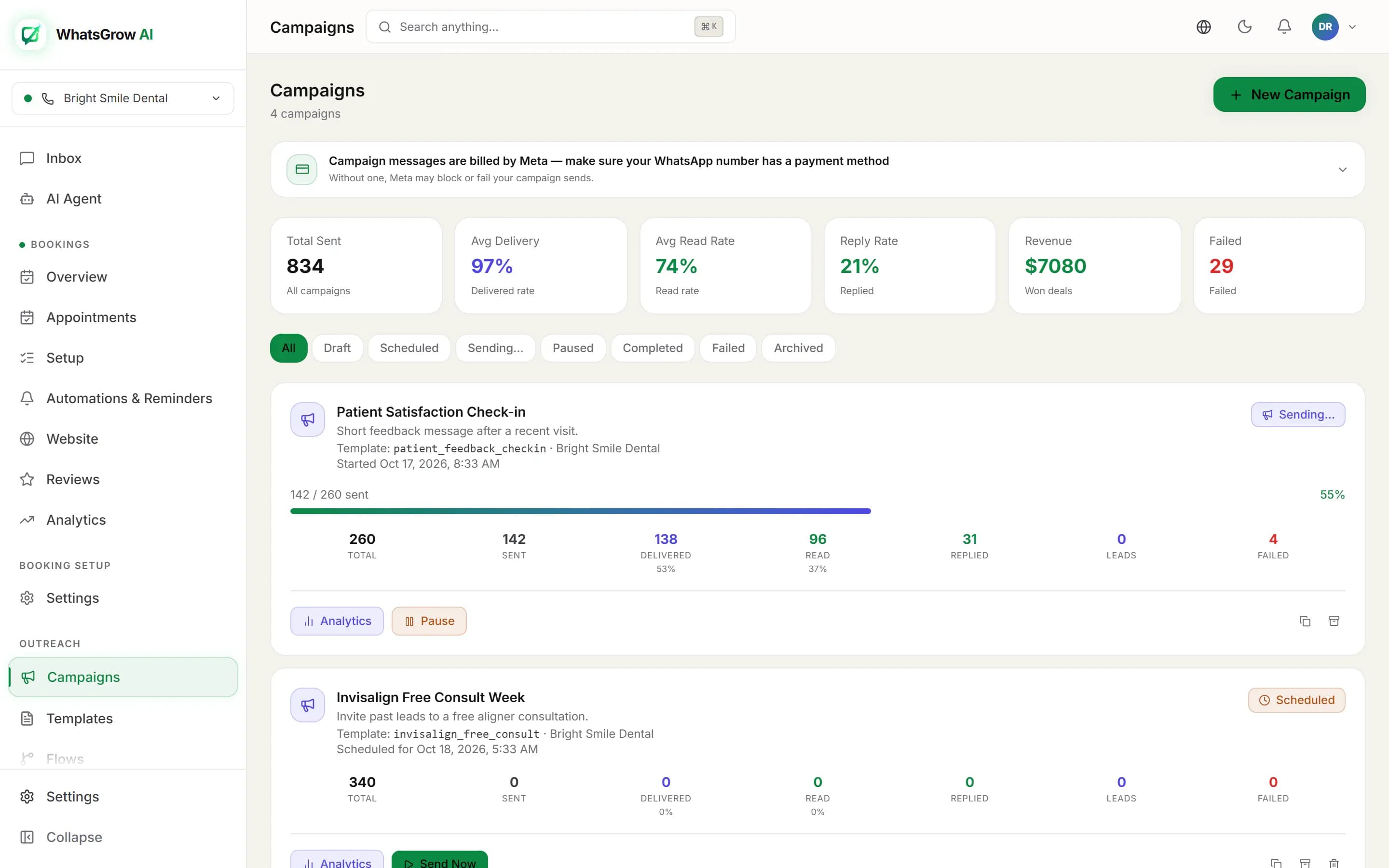
Best Practices for High-Converting WhatsApp Campaigns
Timing: Send Tuesday-Thursday, 10am-12pm or 7-9pm in your audience's timezone. Avoid Mondays (inbox overload) and weekends (lower commercial intent).
Personalization: Include the recipient's name and a relevant detail. Personalized messages get 35% higher reply rates.
Clear CTA: One call to action per message. "Reply YES for the offer" or "Click here to book" — not both.
Opt-out clarity: Always include an easy way to unsubscribe. Reduces block rates, which protects your quality rating.
Segment ruthlessly: Don't blast your entire list every campaign. Use contact filters to send relevant messages to relevant segments.
WhatsApp Bulk Messaging Costs in India
Meta now charges per delivered message, by category:
- Marketing (India): Rs 0.8631 per message (Meta rate card, 1 Oct 2026)
- Utility (India): about Rs 0.115 per message before GST. Utility templates are billed even inside the 24-hour window.
- Service (free-form replies inside the 24-hour window): the first 1,000 per business phone number each month are free; each delivered reply after that is billed.
For 10,000 marketing messages per month: Rs 8,631 (~$118) in Meta fees. Plus your WhatsGrow AI subscription.
In WhatsGrow AI, Settings → Channels shows each number's free service replies used this month, so you can see when you are approaching the 1,000 limit.