
WhatsApp automation is the difference between a business that manually answers every message and one that grows without proportionally growing the team. In India — where WhatsApp handles the majority of sales, support, and customer communication — automation is no longer optional. This guide covers every type of WhatsApp automation you should implement, and how to set each one up.
Types of WhatsApp Automation (From Basic to Advanced)
WhatsApp automation exists on a spectrum:
Level 1 — Auto-reply (basic):
A fixed response when you are unavailable. Example: 'We have received your message and will reply within 2 hours.'
Level 2 — Keyword automation:
Pre-programmed replies triggered by specific words. Example: Reply 'price' → send pricing PDF.
Level 3 — Flow automation:
Visual no-code flows that guide customers through a process. Example: Welcome → Ask for name → Ask for requirement → Route to agent.
Level 4 — AI agents:
GPT-4o or Gemini-powered agents that understand natural language, maintain context, qualify leads, and take actions (update CRM, create tasks, send payment links).
Level 5 — Full sales automation:
Combination of AI agents + flow builder + campaign automation + CRM sync, with AI handling the entire lead lifecycle from first message to closed deal or rejection.
Most tools in India only offer Levels 1-3. WhatsGrow AI delivers Level 4-5.
What to Automate First: The 5 Highest-ROI WhatsApp Automations
1. Instant lead response (ROI: highest)
Automate your first response to every new lead within 30 seconds. An AI agent greets, qualifies (name, budget, need), and either routes to an agent or continues the conversation. This single automation typically doubles lead conversion rates because response speed is the #1 factor in Indian markets.
2. Appointment reminders (ROI: very high)
Automatic WhatsApp reminders 24 hours and 2 hours before appointments. Reduces no-shows by 40-60% for clinics, institutes, and agencies.
3. COD confirmation (ROI: high for eCommerce)
For Indian eCommerce: send a confirmation request for every COD order. Reduces Return to Origin (RTO) rates by 30-50%.
4. Abandoned lead follow-up (ROI: high)
Automate follow-ups at 24 hours, 3 days, and 7 days for leads who went cold. Most businesses lose 60-70% of leads simply because no one followed up.
5. Payment reminders (ROI: immediate)
Automate payment reminders with Razorpay/Stripe links for pending fees, dues, or installments. Drastically reduces payment delays.
Setting Up WhatsApp Automation with WhatsGrow AI
WhatsGrow AI provides three ways to automate WhatsApp:
Option A — AI Agent (recommended for most businesses)
- Go to Settings → AI Agents → Create Agent
- Write a system prompt describing your business and what the AI should do
- Upload your knowledge base (price list, FAQ, product details)
- Enable tools: CRM update, task creation, payment links
- Toggle on — live in 5 minutes
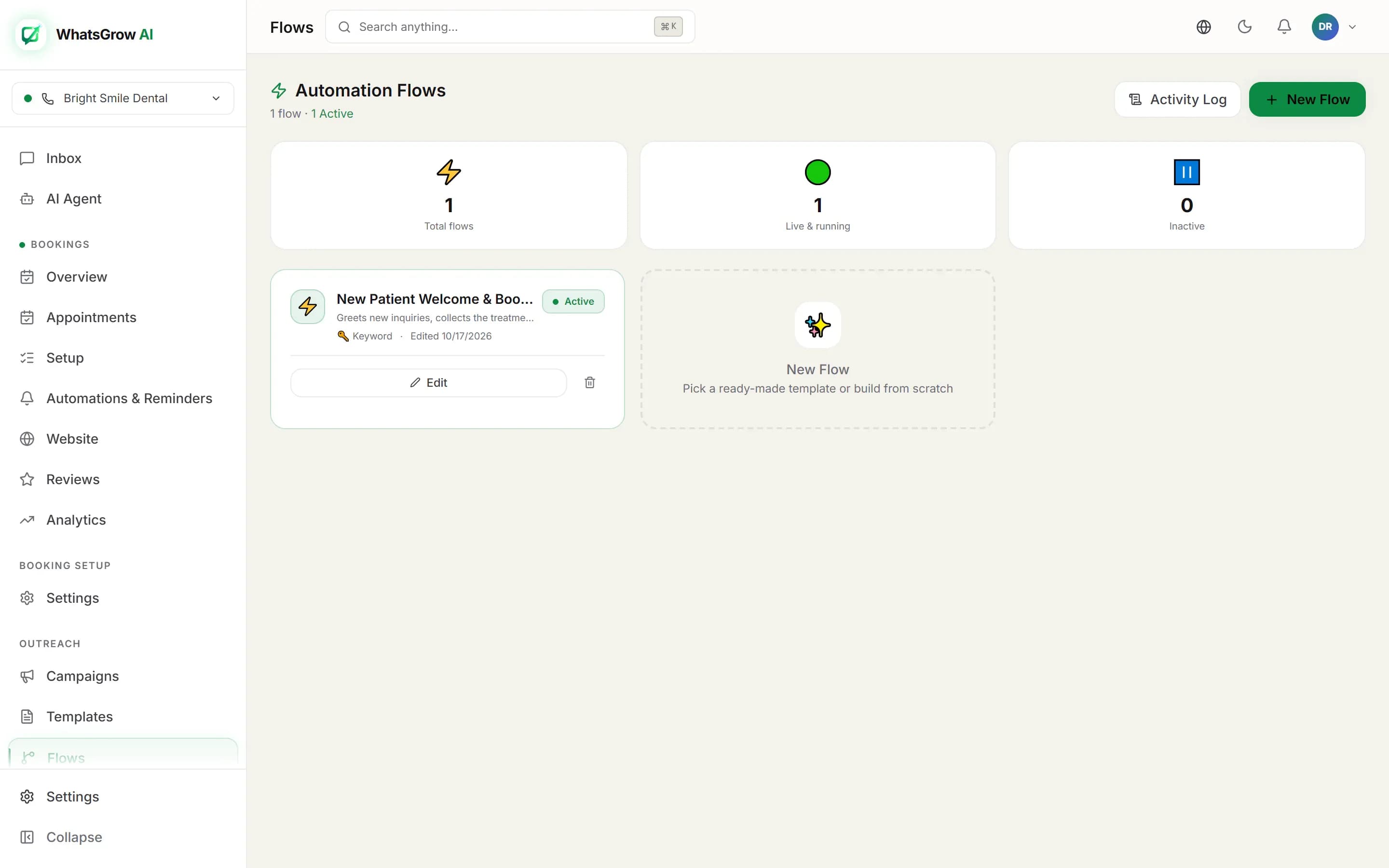
Option B — Visual Flow Builder
- Go to Flows → New Flow
- Add trigger (new conversation, keyword, pipeline stage change)
- Build the flow: Add nodes for messages, conditions, delays, AI responses, CRM updates
- Publish the flow
Option C — Campaign Automation
- Go to Campaigns → New Campaign
- Select audience filters (pipeline stage, tag, last activity date)
- Choose template and add personalization
- Schedule for optimal send time
- Activate
WhatsApp Automation Best Practices for India
Language: Set your AI to respond in the same language as the customer. GPT-4o handles Hindi, Hinglish, Urdu, Tamil, and all major Indian languages naturally.
Timing: For business-initiated messages (campaigns), send 10am-12pm or 7pm-9pm IST. Avoid Mondays (inbox overload) and late nights.
Opt-in compliance: Only send to contacts who have explicitly opted in. Use whitelisted templates for all outbound messages.
Human handoff rules: Always define clear escalation triggers. When the AI receives 'talk to a person', 'I want a refund', or similar — it should immediately transfer to a human with full context.
Testing: Before going live, test your AI with at least 20 messages in different phrasings, including edge cases and common objections.
WhatsApp Automation for Different Industries
Real estate: Auto-qualify leads from portals → Schedule viewings → Send property brochures → Follow up post-viewing
Healthcare: Book appointments via AI → Send confirmations and reminders → Post-visit follow-up and lab reports delivery
Education: Answer admission FAQs 24/7 → Qualify students → Invite for demo class → Send fee reminders post-enrollment
eCommerce: COD confirmation → Order updates → Abandoned cart recovery → Post-delivery review request → Reorder reminders
Services: Instant quote generation → Appointment booking → Payment collection → Work completion follow-up